
Documentation / Everyday use
Private trips and their cost
When employees drive company cars privately, the page IntelliFleet > Private use works out each month what every employee owes for it, lets you approve the figures and gives payroll a CSV file.
Who can see the page
In Administration, then Roles, three permissions under IntelliFleet cover the page:
- Private use shows the page.
- Keep private use policies lets a user add, change and delete policies and the default rate.
- Approve private use and export it for payroll lets a user approve and reopen settlements and download the payroll file.
You see only the cars of the Branches you may see, and the header's Branch and Fleet narrow both tabs through the car.
Policies
A policy says how private use of one car is charged, from a date:
- Per private km: each private kilometre at a rate.
- Flat monthly: a fixed amount for each month the employee uses the car.
- Not charged: private use is free.
On the Policies tab, click New policy, pick the car, the date it is in force from and the charge. A later policy of the same car replaces the earlier one from its own date, so the history stays: change the charge by adding a policy, not by editing the old one. In force shows the policies that apply today; All shows the replaced ones too.
The rate of a per-km policy is optional. Without one, the car uses the default rate per private km set above the list. Leave that empty too and the car uses the mileage rate for its engine from Mileage > Rates (for example 1.15 PLN for a car over 900 cm³).
A car with no policy is listed under the table. Its private kilometres are still counted, but nothing is charged for them.
Monthly settlements
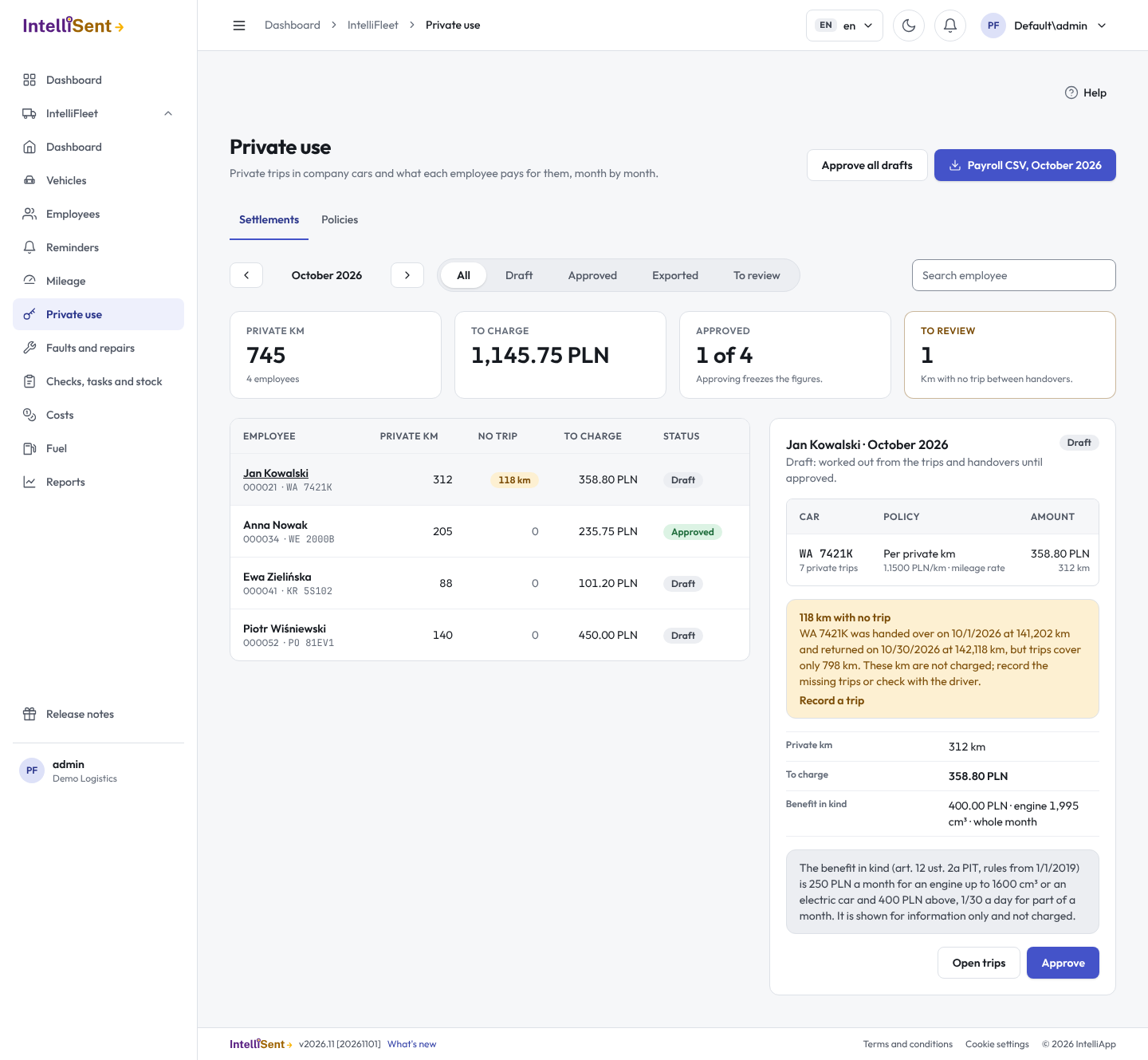
The Settlements tab shows one settlement per employee for the month picked with the arrows. It is worked out from:
- the employee's Private trips on Mileage > Trips. A trip without a driver counts for whoever held the car on that day;
- the policy in force on each trip's date;
- the employee's assignments, for the days each car was held.
Click an employee to see the settlement beside the list: each car with its private trips, policy, rate and amount, and the total to charge.
Kilometres with no trip
When a car was handed over and returned within the month, IntelliFleet compares the two odometer readings of the handovers with the trips recorded in between. If the odometer moved further than the trips cover, the settlement shows the difference under No trip and is flagged To review. These kilometres are never charged: record the missing trips on Mileage > Trips, or check with the driver, and the settlement updates.
Approving
A settlement is a Draft until you approve it, and a draft follows every change to trips and policies. Approve freezes its figures. Approve all drafts approves every draft that has nothing to review. A settlement with a car outside the Branch or Fleet you see cannot be approved until you see all of its cars.
Reopen turns an approved settlement back into a draft, for example after a late trip.
Payroll file
Payroll CSV downloads the month's approved and exported settlements, one row per employee: employee number, last name, first name, month, private km, amount, currency and the benefit in kind. The approved settlements in it become Exported and cannot be reopened.
Benefit in kind
The settlement also shows the Polish flat benefit in kind for private use of a company car (art. 12 ust. 2a of the PIT act): 250 PLN a month for an engine up to 1600 cm³ or an electric or hydrogen car, and 400 PLN for a larger engine. For part of a month it is 1/30 of that for each day the employee held the car. It is shown for information only: it is not added to the amount to charge.
On the phone
The driver app's home screen shows the driver's own private kilometres this month. Private trips are recorded on Mileage > Trips.